Algorithms decide.
You scroll.
foragd:
A calmer way to follow the web
Foragd gathers every RSS feed, YouTube channel, Google News topic and email newsletter into one searchable place, with no unread-count guilt and no algorithm quietly reordering what you see.
No credit card required · Cancel anytime · Import from Feedly, Inoreader or another service in minutes.

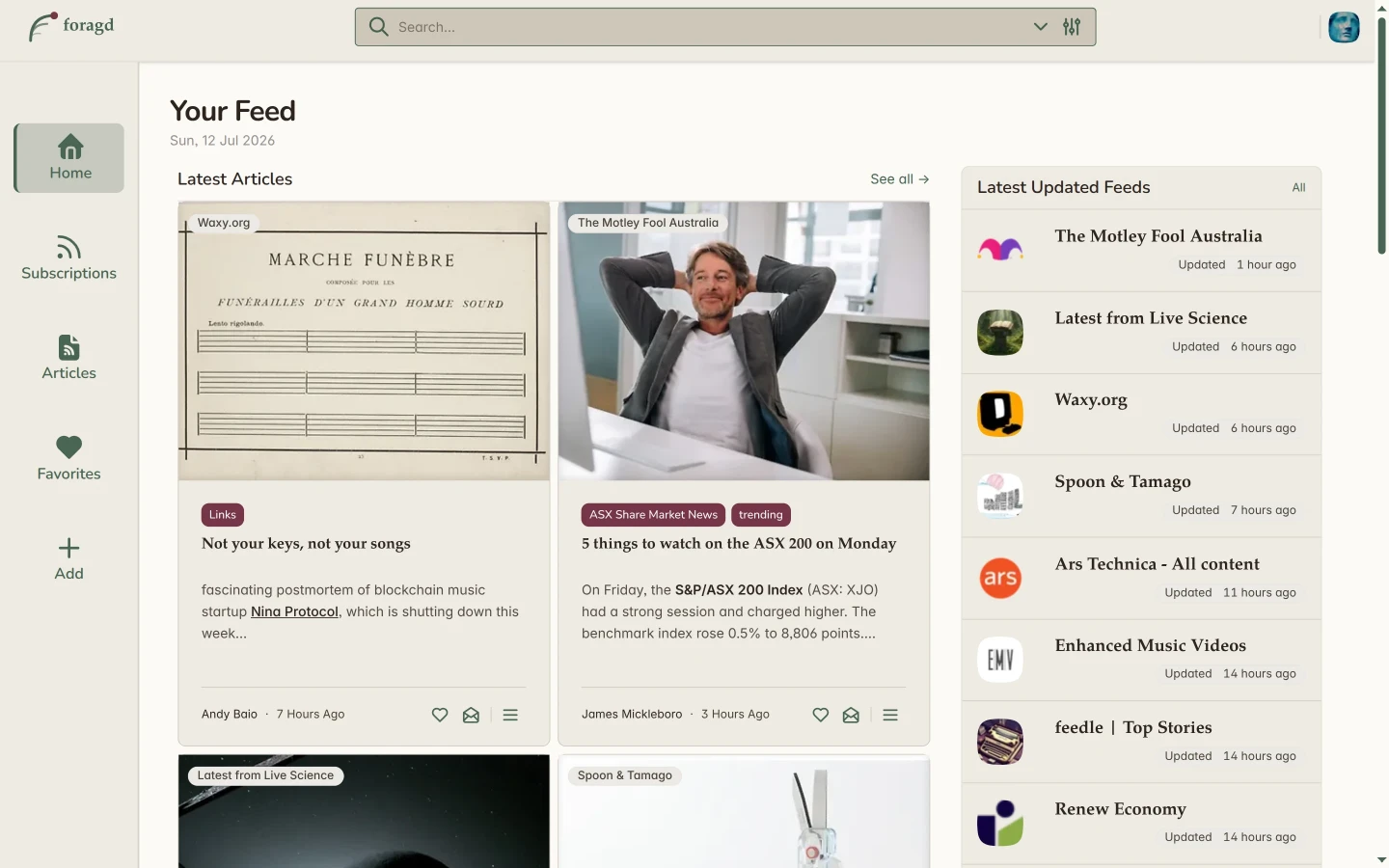
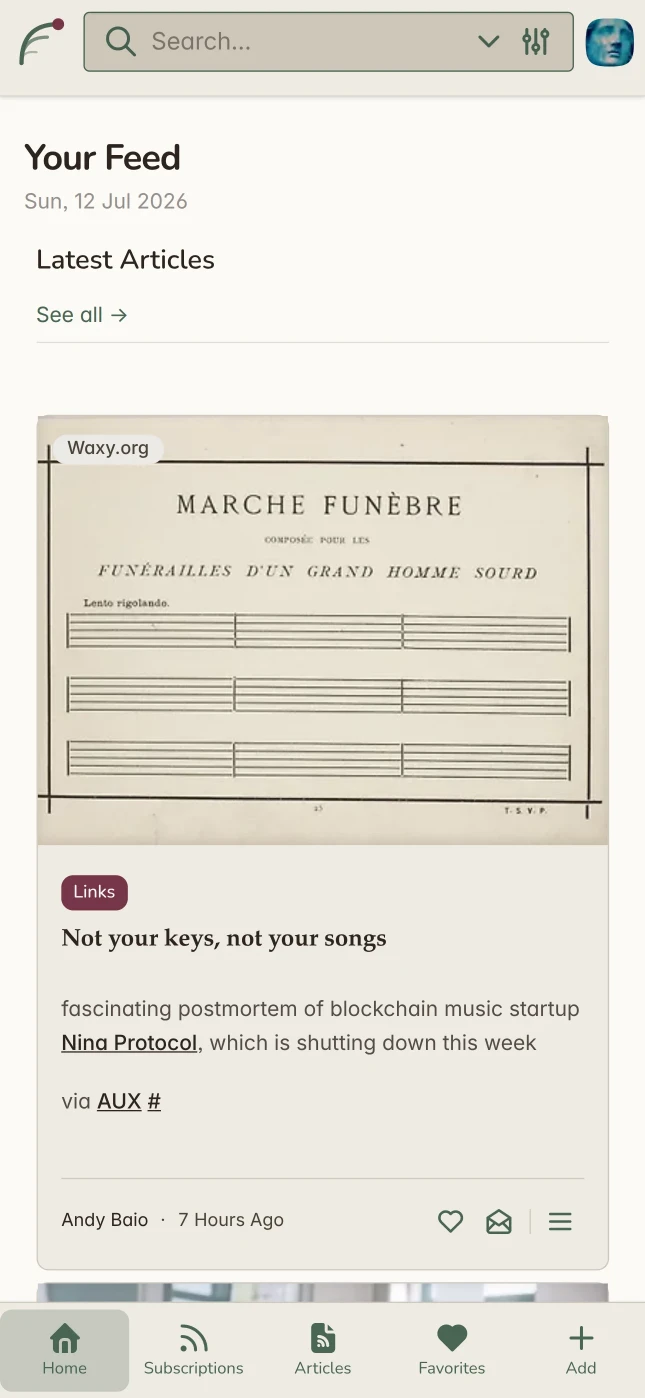
Why Foragd
Social Media shoves content in your face. Traditional feed readers pretend to be an inbox. Both suck.
No unread count guilting you into "clearing the queue." No rigid folders you have to maintain. No feed silently reordered by an algorithm you can't see. Foragd just holds the sources you chose, organized your way, in an interface built for reading.
Your internet, gathered together
Foragd uses three pillars to build your private library.
Gather everything, from everywhere
Subscribe to websites, YouTube channels, Google News searches and email newsletters. Foragd finds the feed so you don't have to hunt for a URL.
- A masked newsletter address keeps your real inbox clean.
- One-click OPML import from Feedly, Inoreader and other apps.
- Curated starter packs to get going in seconds.
- Subscribe to Youtube channels or playlists or Google News feeds easily.
- Want a feed for a site without one? Just ask support and we'll attempt to create one where possible.
- Your data is synced on our servers so you can stay up to date anywhere.
Organize it your way, not the algorithm's
Sort sources into collections that make sense to you. Filter the noisy ones, star the essentials, and keep things exactly as tidy or as loose as you like.
- Flexible tagging instead of rigid folders.
- Group similar subscriptions into a single unified feed.
- Search by text or topic and save the results as a subscription.
- Filter articles without complicated forms and logic.
Read like it's a magazine, not a queue
Designed with a distraction-free reading view and real typography, so articles feel like articles again and not one more thing to clear.
- Clean reading view, stripped of ads and clutter.
- Enriched articles with images and summaries pulled from the source when missing from the feed.
- Full-text search by keywords and phrases. Or semantic search by topic or area of interest.
- A "save for later" list that actually gets read.
- A range of light and dark themes.
- A responsive design that works in any web browser. On any device.
Built different on purpose
No ads sold against your attention, no algorithmic ranking, just your feeds. See exactly how that compares to Feedly, Inoreader and FreshRSS.
Simple, honest pricing
One plan. Every feature. No tiers designed to make you feel behind.
Frequently Asked Questions
A feed reader is an app that collects content from websites, blogs, and newsletters you choose and displays it in one place without algorithms deciding what you see or ads interrupting your reading.
Most websites publish their content as an RSS or Atom feed: a standardised file that lists their latest articles. A feed reader checks these files regularly and shows you new posts as they arrive, in chronological order, from only the sources you've subscribed to.
This is fundamentally different from social platforms like Facebook, X (Twitter), or LinkedIn, where a proprietary algorithm selects and ranks what you see based on engagement, advertising revenue, and platform goals and not your preferences. It's also different from news aggregators like Apple News or Google News, which curate content editorially and promote sponsored stories.
With a feed reader, you own your reading list. You can follow any website that publishes a feed, from major newspapers to small independent blogs and everything appears together, unfiltered and in the order it was published.
Read more about the differences: Feeds vs Social Media
Foragd is a web app, which means there is nothing to install and no app store required. Open your browser, log in on any device you already own. Because Foragd runs entirely in the browser, it works on every platform without a separate version for each: Chrome, Safari, Firefox, and Edge on Windows, macOS, Linux, iOS, and Android are all fully supported. Your reading list, bookmarks, and settings are always in sync across every device automatically, with no manual backup or export needed.
On mobile, Foragd can be added to your home screen directly from your browser (on iOS via Safari's "Add to Home Screen" and on Android via Chrome's "Add to Home Screen"). This gives you a full app-like experience, including offline support, without going through the App Store or Google Play.
This also means Foragd is always up to date. There are no app updates to approve or install; improvements and new features are available the moment you open the page.
An Android app is available, though this is just a wrapper for the website. The website is fully-featured on any platform, so the app is unnecessary, but provided for convienience.
Yes. Foragd supports importing and exporting subscriptions using the OPML file format; an open standard that all major feed readers support. If you're switching from Feedly, Inoreader, NewsBlur, The Old Reader, or any other RSS reader, you can export your subscriptions as an OPML file and import them into Foragd in seconds, with no manual re-adding of feeds.
This portability is by design. Your subscriptions are a list of websites and sources you've deliberately chosen to follow. Your data is always yours, not the platform's. Unlike a social media following list that's locked inside a single company's database, an OPML file is a plain, open format you can take anywhere. Foragd treats your reading list as your data, which is why Foragd also supports exporting as well as importing. If you're currently using a platform that doesn't offer OPML export, that's a sign your subscriptions are being held hostage. A feed reader that won't let you leave with your data isn't a tool; it's a trap.
Switching to Foragd takes just a few minutes: export your OPML from your current reader, import it in Foragd's settings, and every feed you've ever subscribed to will be waiting for you.
Yes, completely. Foragd has no social features, no public profiles, and no follower counts. What you read is nobody's business but yours.
Most free content platforms are built on a simple trade: you get the service, they get your attention and behaviour data to sell to advertisers. Every article you read, every topic you follow, every link you click becomes a data point used to build an advertising profile. Foragd has no advertising business model, so there is no incentive to collect, analyse, or sell your reading behaviour. We don't know what you read, and we don't want to.
What we do collect is the minimum required to run the service: your email address to log in, and the list of feeds you subscribe to so we can fetch content for you. That's it. We don't share this with marketing third-parties, we don't run behavioural analytics on your reading habits, and we never inject ads or sponsored content into your feed.
Because Foragd is subscription-funded rather than advertiser-funded, your interests and ours are aligned: we succeed when you find the product valuable enough to pay for, not when we maximise the time you spend staring at a screen. You can read the full details in our privacy policy.
Your subscriptions are also portable and exportable at any time (see the previous question on OPML import and export).
Yes, Foragd is supported by the developer. Help documentation is available, and you can easily report issues inside the app if something has gone wrong.
Otherwise, just email us with any questions, concerns or requests. We are happy to look into adding new features, helping to get your favorite website as a subscription in Foragd, or any other concerns.
The developer is also the user, and Foragd is made with love for the independent web. We want to make Foragd one of the best apps for browsing the web outside of social media.
Foragd respects any update interval the source website specifies.
Where a website doesn't specify an interval, Foragd tries to calculate an appropriate one based on the frequency of updates.
Some apps advertise the ability to boost the update interval or set your own update interval. Neither is useful if the feed simply doesn't update that often. So Foragd keeps it simple; we update the feed when it says it updates or how often we see updates. This means every feed you subscribe to is always up to date.
Not directly. But you can reach out to us and provide details of the site you want to subscribe to, and we'll do our best to implement a custom subscription feed for you, so you can enjoy the site updates directly in the app.
We're not yet convinced current automated solutions can consistently generate a feed for websites without one, especially with modern, constantly-changing website design. We also don't believe you need to be a frontend developer to get updates from your favorite site. So as part of your subscription, you can ask us about any site you'd like a feed for, and we'll do the work for you to see it it is feasible to implement one, create it then subscribe you to it.
Yes. Foragd's source code is publicly available on GitHub. But more importantly, here's why that matters to you as a user rather than just as a developer:
-
You can verify our privacy claims.
We tell you we don't track your reading habits or sell your data. But with closed-source software, that's a promise you have to take on faith. With open source, anyone can read the code and confirm that what we say matches what the software actually does. Independent researchers, security professionals, and privacy advocates can audit Foragd without our permission or involvement. Trust, but verify.
-
Your data can never be held hostage.
If Foragd ever shut down, was acquired, or changed direction in a way you disagreed with, the open source code means the community could continue running it independently. Your reading list and the software that powers it can't be locked away. This is the open source guarantee that no proprietary feed reader such as Feedly, Inoreader, or anyone else can offer.
-
Security is stronger with more eyes on the code.
Closed-source software relies on a single team to find and fix vulnerabilities. Open source means the entire developer community can spot and report issues, often faster than any internal team could alone.
-
You're not betting on a black box.
Many RSS readers have come and gone over the years — Google Reader being the most famous casualty. When a proprietary service shuts down, your subscriptions, your history, and your reading habits can disappear overnight. Open source is a hedge against that risk. You can find the Foragd source code and contribute at GitHub.
-
Yes. You can upgrade from monthly to annual at any time. We'll prorate the difference.
All major credit cards, PayPal, and local payment methods depending on your region. Payments are handled by either Google Play (for Android app users) or Paddle (for website users).
Yes. For Android app users, Google Play is our merchant of record. For website users, Paddle is our Merchant of Record. Both handle sales tax, VAT, and GST collection globally.
Absolutely. Cancel from your dashboard and you'll retain access until the end of your billing period.
You can manage your subscription from Settings->Account once logged in.
Monthly plans: No refunds. Cancel anytime before your next billing date.
Annual plans: Full refund within 30 days of purchase if you're not satisfied. After 30 days, no refunds are issued for the remaining period.
To request a refund, contact hello@immanent.tech with your account email, or use the contact form on the website.
Ready to read without the noise?
Start free. No credit card, no algorithm, no catch.
Start your free trial