Linting RSS/Atom/JSON Feeds for Validation and Best Practices
Introducing a RSS/Atom/JSON feed linter that both validates and checks your feed includes features for maximum compatibility and best user experience
Introducing a Linter for RSS/Atom/JSON Feeds for Checking Validation and Best Practices
I’m very excited to introduce a concept I’ve been thinking about a lot and finally built a working tool for; a feed linter. This allows you to both validate and check a feed includes optional features that maximize compatibility and ensure the best end user experience when consuming a feed.
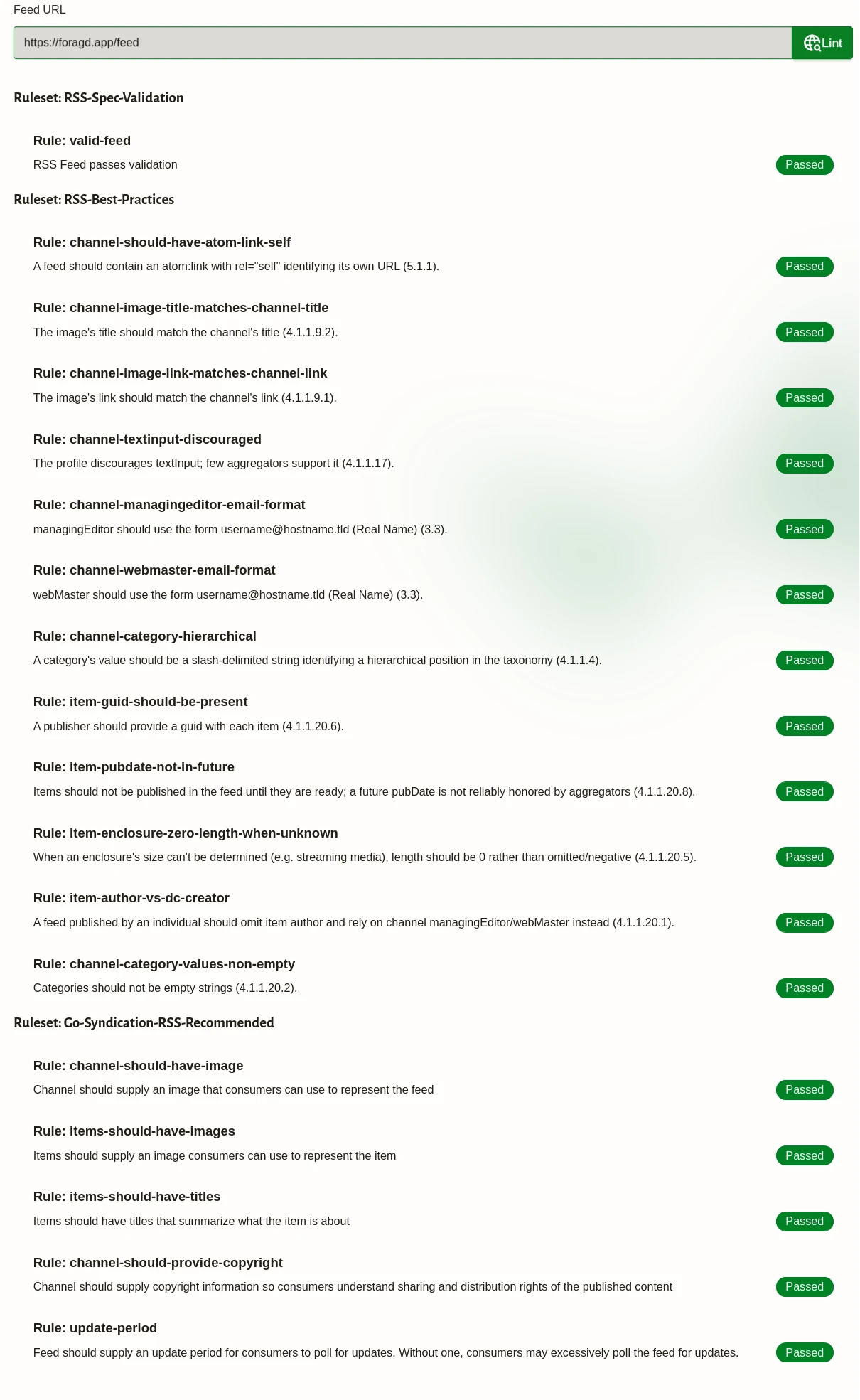
What Is a Linter?
A linter, in programming terms, is a tool that performs analysis of source code to check for syntax and common errors in the program. Nearly all popular programming languages have one or more linter tools you can use to validate and improve your code before releasing and that is a good idea. Without linting, the code might contain subtle errors or incompatibilities that cause issues when trying to use the released version. Catching these before users hit them is extremely important.
The go-syndication linter adopts this concept to RSS/Atom/JSON feeds. Feeds are, after-all, a structured document, similar to source-code in programs. So the linter reads the file and points out common patterns and features implemented incorrectly or missing, that enhance the feed for the end consumer.
Linting Vs. Validation
Validating a feed means checking your feed adheres to the appropriate RSS/Atom/JSON feed specification, in terms of structure and format. Validation is ultimately the bare minimum needed for a feed to parse in any good reader. It won’t necessarily mean your feed is displayed in an optimum way for the end user or includes genuinely useful quality of life features. For example, items in a valid RSS feed don’t need a title if they have a description, or vice versa. Having an optional title or optional description is arguably a pretty bad experience for the consumer of your feed. So passing validation ensures your feed can be parsed, while passing all linter recommendations will ensure your feed is likely to be read.
Why a Linter Is Needed
The go-syndication linter can be thought of as going above and beyond validation. The linter will validate your feed according to the relevant spec in addition to running checks for optional features that will greatly enhance the quality of your feed for a consumer.
Making your feed provide a better experience for the end-users is better for everyone. Feeds become more viable alternatives to other ways of consuming content. In particular, when compared with social media, RSS/Atom feeds, as per the specifications alone, lack many features the former has. However, as we’ve previously mentioned, there are many extensions and optional features that can provide a comparable experience. The linter can help identify and recommend these features to bring feeds closer to parity with what end-users expect.
The linter is targeted towards the best experience in feed readers, which is the most prominent use-case for feeds. But these recommendations are always geared towards enhancing feed quality, so are universally applicable, no matter how a feed is used.
Linter Design
The linter is built around the idea of rules, with each rule performing a unique, specific check of a feed, tied together into rule sets, which are a way to group rules in a common category, topic, purpose, or label. As an example, you might have rules related to validating a feed against the specification, which you can group into a “Validation” rule set. The linter is extendable; you can define your own rules and rule sets easily. You could run the linter against specific rules or rule sets as needed.
Ideally, the RSS/Atom/JSON feed community would converge on a set of rules and rule sets that are recommended and we all uplift each other’s feeds with the best possible features and functionality.
Installation and Usage
The linter is part of go-syndication, a Go library for reading and writing RSS/Atom/JSON feeds and related syndication formats and extensions. If you are developing in Go, you can integrate it directly in your project.
There is also a command-line you can use, to linter either a feed URL or local file:
go run github.com/immanent-tech/go-syndication/cmd@latest lint --file=/path/to/my/feed.xml
# or --url=https://some.site/feed
# optional, add --json to get the output in JSON format
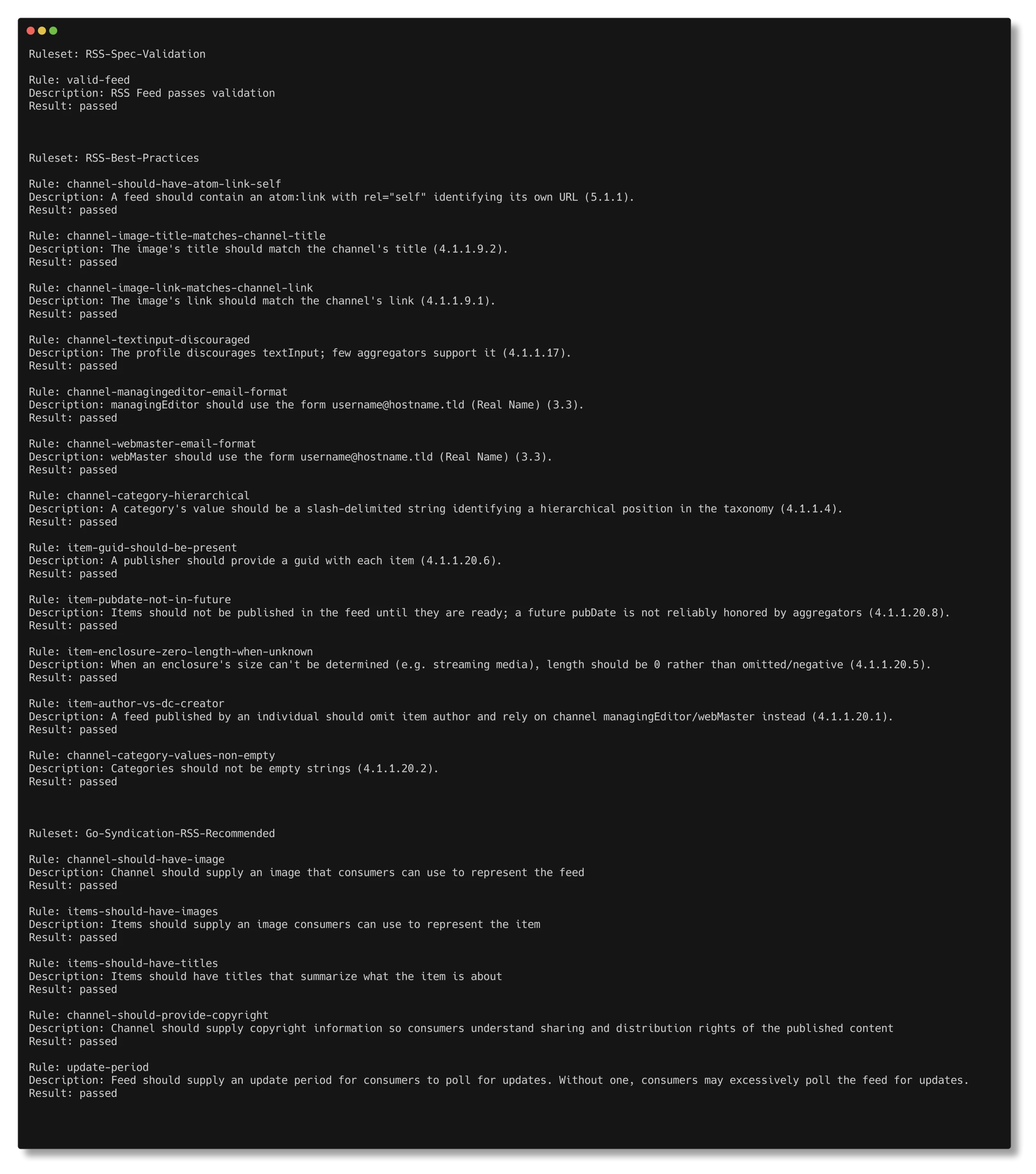
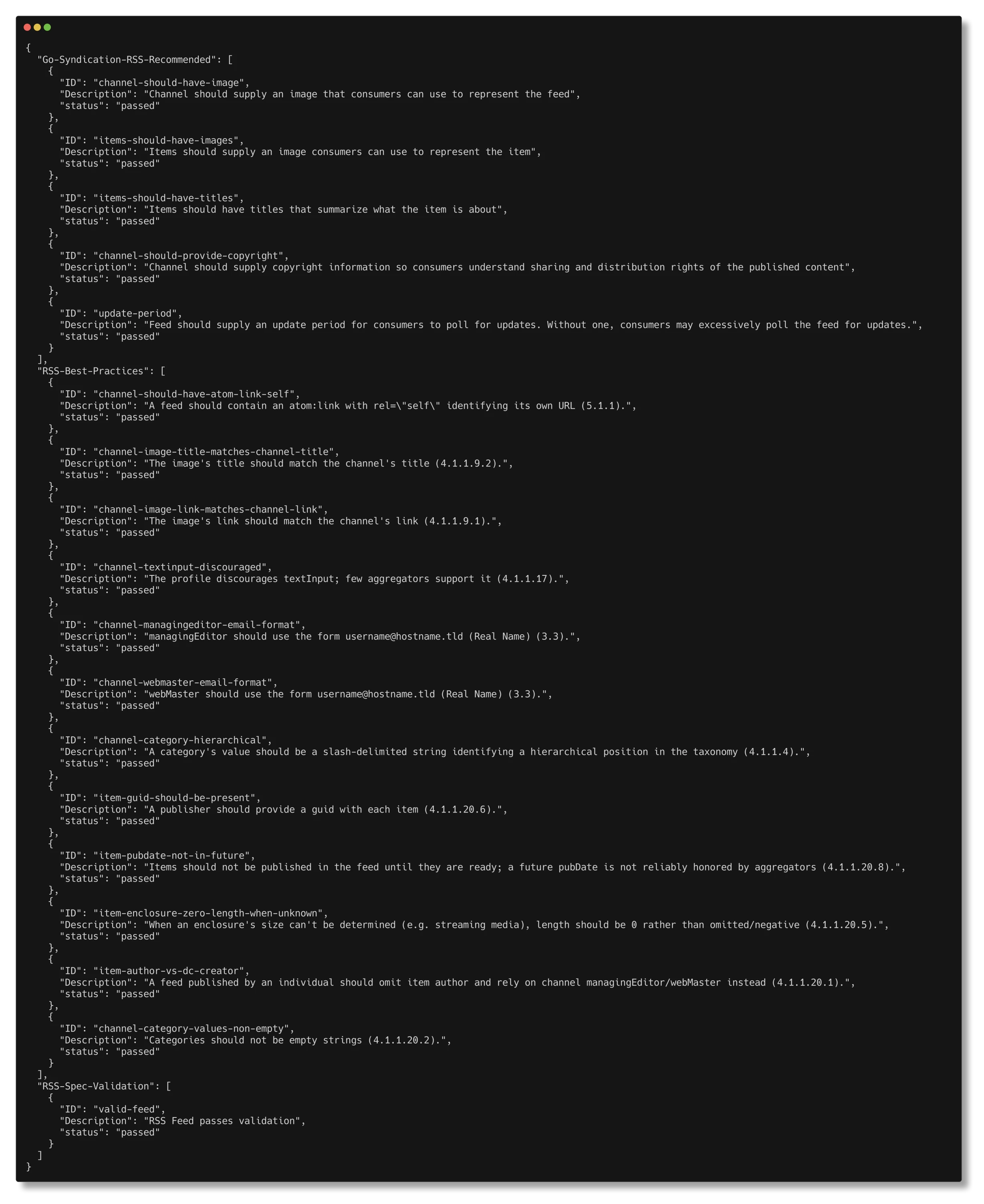
The command will automatically detect the type of feed (RSS/Atom/JSON) and run all appropriate, built-in linter rule sets against it. The JSON output will be handy for automated processing of the output.
The linter and the go-syndication library are open-source, MIT licensed.
There is also a hosted version, allowing you to validate any RSS/Atom/JSON feed URL.
Future Development Plans
I’m really hoping people will see the value of linting feeds and get on board with helping to define rules we can all use to enhance feed publishing. Right now, the linter supports RSS feeds, with rule sets for validation, RSS best practices and some “Go Syndication Best Practices”. Rules for Atom and JSON feeds will come, and no doubt they’ll be a lot of rule overlap between the formats. Additionally, I hope to create a complementary static website that the linter can link to for its built-in rules to provide further explanation and remediation steps to help.
If you have thoughts or comments, please join the discussions. If you find issues or bugs, report them.
License: CC BY-SA 4.0.